Three steps. The whole thing takes about a minute.
Nothing to set up, and no account.
Step 1
Save while you browse
A button sits in the corner of every product page on AliExpress, Alibaba, Amazon and eBay. One click saves the product to your list: title, price, photo and link.
Step 2
Add your numbers
Four boxes per product: what it costs you, what shipping costs, what you would sell it for, and the marketplace fee. You fill these in, so the answer is based on your real costs.
Step 3
See which ones to buy
Every product shows its profit and margin, with the best at the top. Green makes money, red loses it. Choosing takes seconds, not a whole evening.
Step one, on a real AliExpress listing.
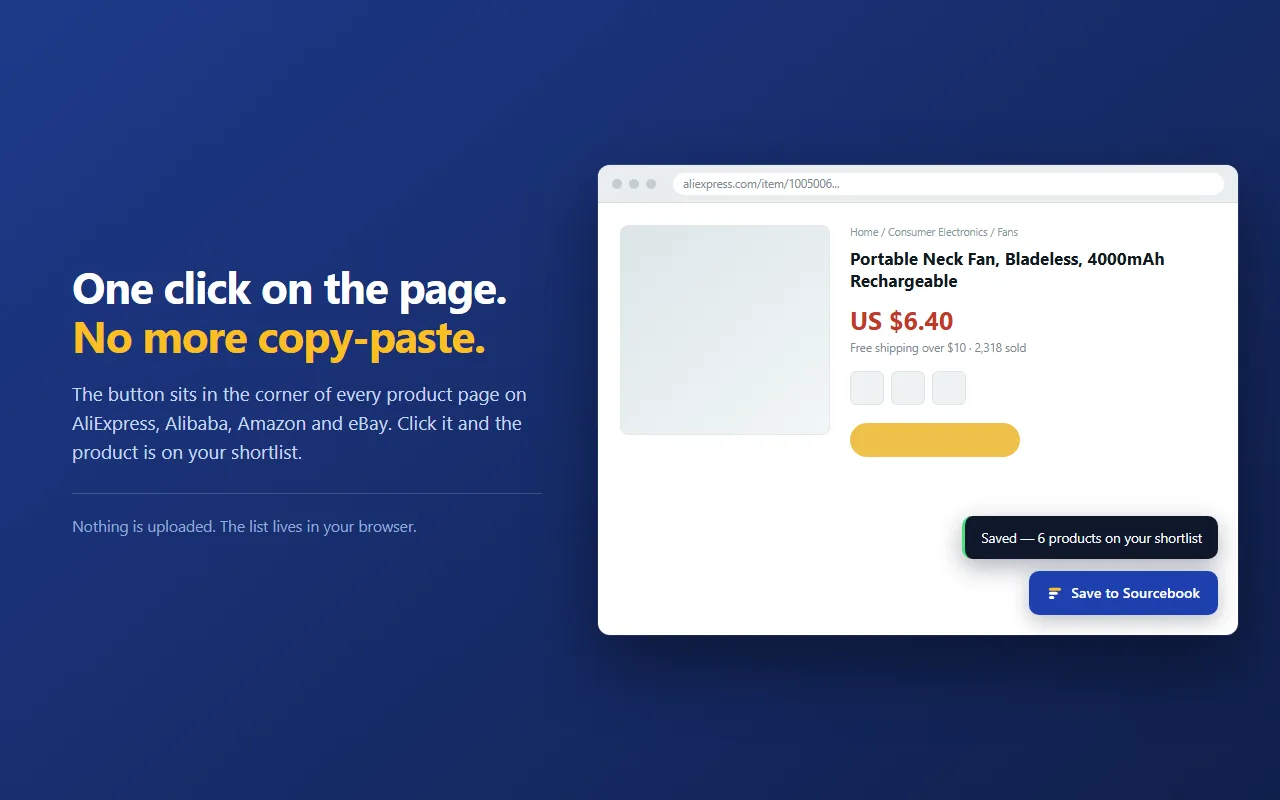
Where the button appears
Missing a site you use? Email us — adding one is usually quick.
aliexpress.com
aliexpress.us
alibaba.com
amazon.com
amazon.co.uk
amazon.de
ebay.com
ebay.co.uk
Stop keeping your product list in a spreadsheet.
Free, no sign-up, and it works on the sites you already buy from.